> ## Documentation Index
> Fetch the complete documentation index at: https://docs.passage.coinlist.co/llms.txt
> Use this file to discover all available pages before exploring further.
# Embed tokenized equities
> Offer shares from multiple issuers inside your wallet or app. Users discover, fund, and hold tokenized equities - Passage runs the regulated infrastructure underneath.
**Best for:** wallets, brokerages, and platforms that want to give users access to tokenized equities (real-world shares represented on-chain) without becoming a regulated broker-dealer or transfer agent themselves.
## How it works
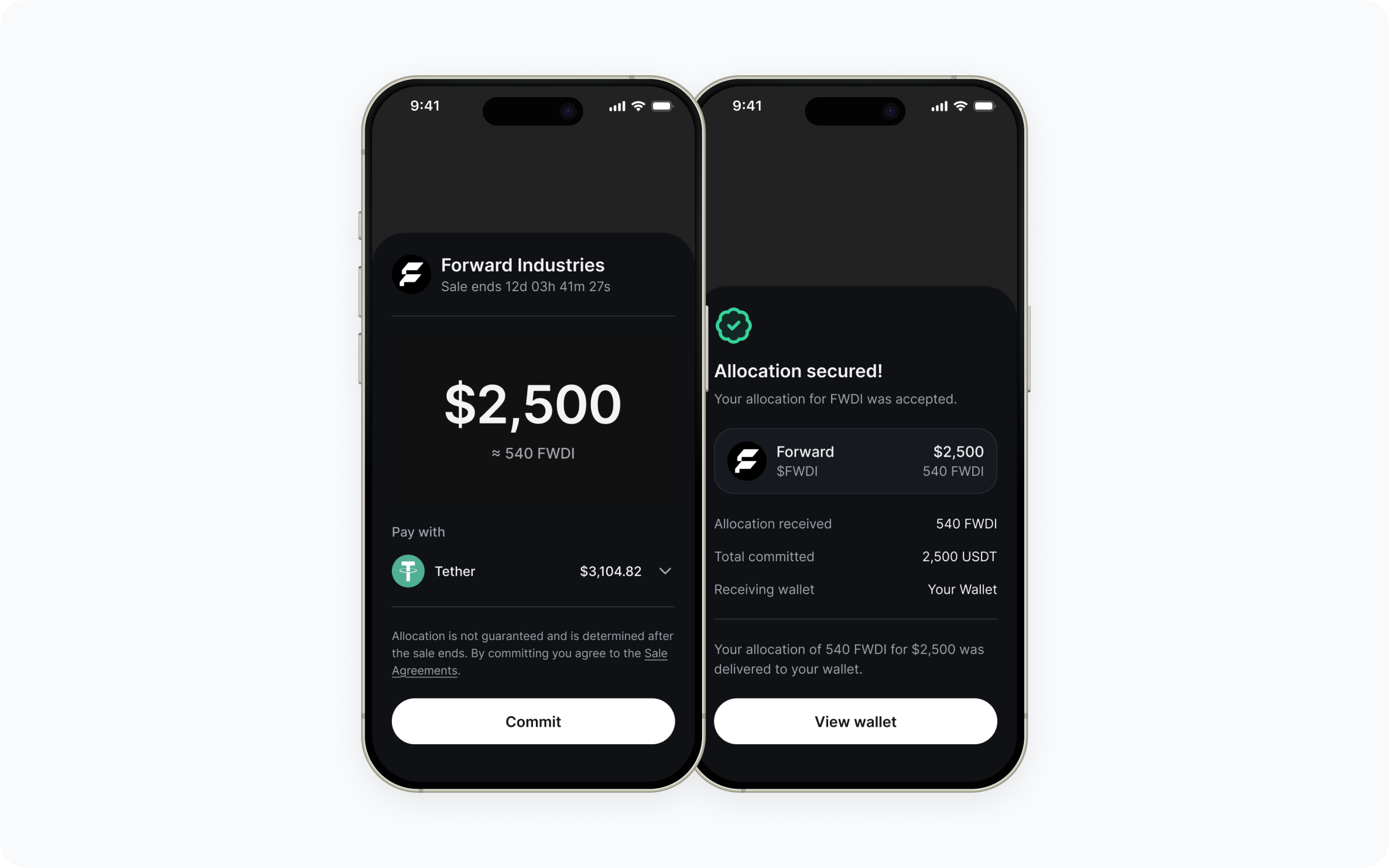
Tokenized equities are real shares of an issuer, represented on-chain and held in custody arrangements that meet securities law. Your app surfaces the available equities, your users buy and hold them through your UI, and Passage runs the issuance, custody, settlement, and compliance underneath.
 ## Who handles what
* Issuer onboarding and offering compliance
* KYC and per-jurisdiction eligibility
* Order routing and settlement
* On-chain issuance and custody arrangements
* Corporate actions (dividends, splits, etc.)
* Investor disclosures and doc signing
* Regulatory reporting
* Your app's UX and product surface
* OAuth client setup and session storage
* Which equities to surface to which users
* Order entry UI inside your app
* Holdings display and post-purchase status
## Walkthrough
Tokenized equities have additional regulatory considerations versus token sales - jurisdiction, user accreditation, and the issuers you can surface all depend on the structure. Work with your Passage account manager to confirm what's in scope before you build.
The integration surface is the same as for embedded token sales. Reach out to Passage via the [Support portal](https://support.coinlist.co/en/support/tickets/new) to request a `client_id`, `redirect_uri`, and `client_secret`, then install:
```bash theme={null}
npm install @coinlist-co/react
```
See the [SDK quickstart](/sdk/quickstart) and [Set up OAuth authentication](/sdk/oauth-authentication) for setup.
Equities surface through the same offers API as other CoinList-managed offers. Drop `OffersGrid` in for the fastest path, or build your own UI on top of `useOffers` when you need full layout control. The set of offers your `client_id` sees is scoped on the server, so once your account is set up for equities the user will only see what they're eligible for.
```tsx theme={null}
"use client";
import { OffersGrid } from "@coinlist-co/react";
export function EquitiesList() {
return (
router.push(`/equities/${offer.slug}`)}
/>
);
}
```
For a custom layout, use `useOffers` and render the returned offers yourself - see [Fetch offers](/sdk/fetch-offers) for the loading / error / empty states the hook exposes.
For each equity, render the issuer details, current price, and any disclosures using `useOfferDetails`. Order entry, signing, and settlement happen through the Passage participation flow - see [Display offer details](/sdk/sale-details) and [Track participations](/sdk/participations).
Eligibility is checked at order time; Passage returns either an executed order, a pending state, or a rejection your UI should surface.
Pull each user's holdings via the participations endpoints and render them in your portfolio UI. Corporate actions (dividends, splits, reorganizations) flow through Passage and are reflected in the same data - you re-fetch on session refresh and reflect changes in your UI.
## Build it
Credentials, install, and OAuth shape.
Wire `CoinListProvider`, a sign-in surface, and the callback handler.
Load full equity data - issuer, price, disclosures - with `useOfferDetails`.
Render holdings and order status in your portfolio UI.
## Common questions
Token sales are primary offerings of a project's own token. Tokenized equities are shares of real-world issuers represented on-chain, with secondary trading mechanics and corporate actions (dividends, splits). The SDK shape is the same; the compliance and settlement structure underneath is different.
The set of issuers available depends on what's onboarded with Passage and what's eligible in your users' jurisdictions. Your account manager confirms the available universe before you build.
Eligibility depends on each issuer's offering structure and the user's jurisdiction. Passage runs the eligibility check at order time - your UI just needs to surface the result.
Passage processes corporate actions on the user's holdings. The updates flow through the same participations data your app already reads, so a re-fetch on session refresh keeps your UI accurate.
Public price data for surfaced equities can be rendered without an active user session, but order entry requires a signed-in, eligible user. See the [API reference](/api-reference) for which endpoints are public versus authenticated.
## Who handles what
* Issuer onboarding and offering compliance
* KYC and per-jurisdiction eligibility
* Order routing and settlement
* On-chain issuance and custody arrangements
* Corporate actions (dividends, splits, etc.)
* Investor disclosures and doc signing
* Regulatory reporting
* Your app's UX and product surface
* OAuth client setup and session storage
* Which equities to surface to which users
* Order entry UI inside your app
* Holdings display and post-purchase status
## Walkthrough
Tokenized equities have additional regulatory considerations versus token sales - jurisdiction, user accreditation, and the issuers you can surface all depend on the structure. Work with your Passage account manager to confirm what's in scope before you build.
The integration surface is the same as for embedded token sales. Reach out to Passage via the [Support portal](https://support.coinlist.co/en/support/tickets/new) to request a `client_id`, `redirect_uri`, and `client_secret`, then install:
```bash theme={null}
npm install @coinlist-co/react
```
See the [SDK quickstart](/sdk/quickstart) and [Set up OAuth authentication](/sdk/oauth-authentication) for setup.
Equities surface through the same offers API as other CoinList-managed offers. Drop `OffersGrid` in for the fastest path, or build your own UI on top of `useOffers` when you need full layout control. The set of offers your `client_id` sees is scoped on the server, so once your account is set up for equities the user will only see what they're eligible for.
```tsx theme={null}
"use client";
import { OffersGrid } from "@coinlist-co/react";
export function EquitiesList() {
return (
router.push(`/equities/${offer.slug}`)}
/>
);
}
```
For a custom layout, use `useOffers` and render the returned offers yourself - see [Fetch offers](/sdk/fetch-offers) for the loading / error / empty states the hook exposes.
For each equity, render the issuer details, current price, and any disclosures using `useOfferDetails`. Order entry, signing, and settlement happen through the Passage participation flow - see [Display offer details](/sdk/sale-details) and [Track participations](/sdk/participations).
Eligibility is checked at order time; Passage returns either an executed order, a pending state, or a rejection your UI should surface.
Pull each user's holdings via the participations endpoints and render them in your portfolio UI. Corporate actions (dividends, splits, reorganizations) flow through Passage and are reflected in the same data - you re-fetch on session refresh and reflect changes in your UI.
## Build it
Credentials, install, and OAuth shape.
Wire `CoinListProvider`, a sign-in surface, and the callback handler.
Load full equity data - issuer, price, disclosures - with `useOfferDetails`.
Render holdings and order status in your portfolio UI.
## Common questions
Token sales are primary offerings of a project's own token. Tokenized equities are shares of real-world issuers represented on-chain, with secondary trading mechanics and corporate actions (dividends, splits). The SDK shape is the same; the compliance and settlement structure underneath is different.
The set of issuers available depends on what's onboarded with Passage and what's eligible in your users' jurisdictions. Your account manager confirms the available universe before you build.
Eligibility depends on each issuer's offering structure and the user's jurisdiction. Passage runs the eligibility check at order time - your UI just needs to surface the result.
Passage processes corporate actions on the user's holdings. The updates flow through the same participations data your app already reads, so a re-fetch on session refresh keeps your UI accurate.
Public price data for surfaced equities can be rendered without an active user session, but order entry requires a signed-in, eligible user. See the [API reference](/api-reference) for which endpoints are public versus authenticated.