> ## Documentation Index
> Fetch the complete documentation index at: https://docs.passage.coinlist.co/llms.txt
> Use this file to discover all available pages before exploring further.
# Launch a public token sale
> Run a compliant offering end-to-end. Passage handles KYC, eligibility, payments, and distributions - you focus on the product and the launch.
**Best for:** projects launching a token to the public who need a compliant offering without standing up legal, KYC, payments, and distribution infrastructure themselves.
## How it works
A public token sale on Passage runs through three phases: **setup**, **live sale**, and **post-sale distribution**. Passage runs the platform; you provide the offering details, manage your community, and review participation.
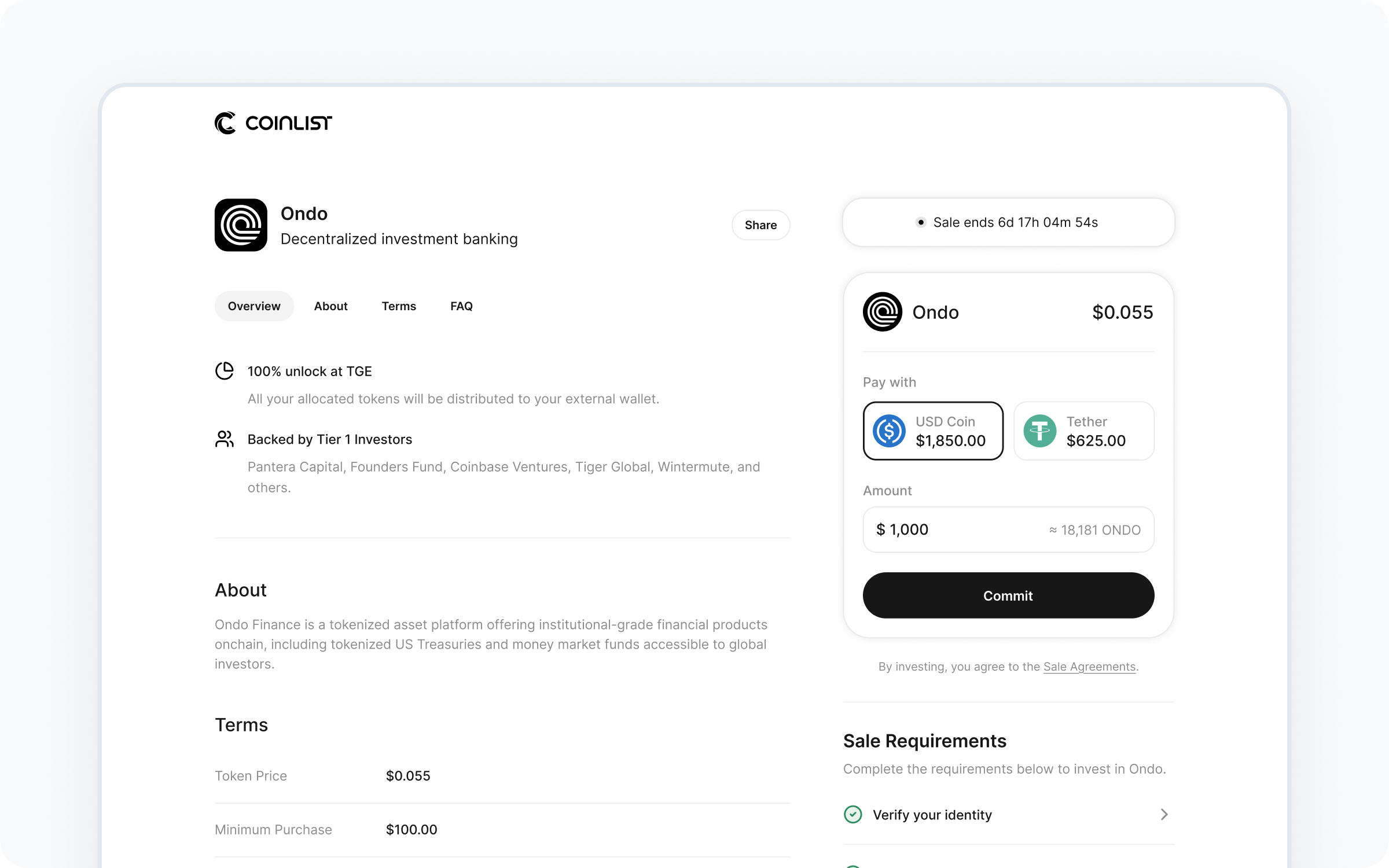 ## Who handles what
* KYC and identity verification
* Jurisdiction and eligibility checks
* Payment collection and settlement
* Smart contract deployment
* Token distributions and vesting
* Regulatory compliance for the offering
* Investor disclosures and doc signing
* Sale-day infrastructure and scaling
* Token economics and sale terms
* Marketing and community comms
* Post-sale reporting to your investors
* Long-term token operations
## Walkthrough
Work with your Passage account manager to define the offering: token details, sale rounds, pricing, caps, accepted currencies, eligible jurisdictions, and vesting schedule. Submit required documentation for compliance review.
## Who handles what
* KYC and identity verification
* Jurisdiction and eligibility checks
* Payment collection and settlement
* Smart contract deployment
* Token distributions and vesting
* Regulatory compliance for the offering
* Investor disclosures and doc signing
* Sale-day infrastructure and scaling
* Token economics and sale terms
* Marketing and community comms
* Post-sale reporting to your investors
* Long-term token operations
## Walkthrough
Work with your Passage account manager to define the offering: token details, sale rounds, pricing, caps, accepted currencies, eligible jurisdictions, and vesting schedule. Submit required documentation for compliance review.
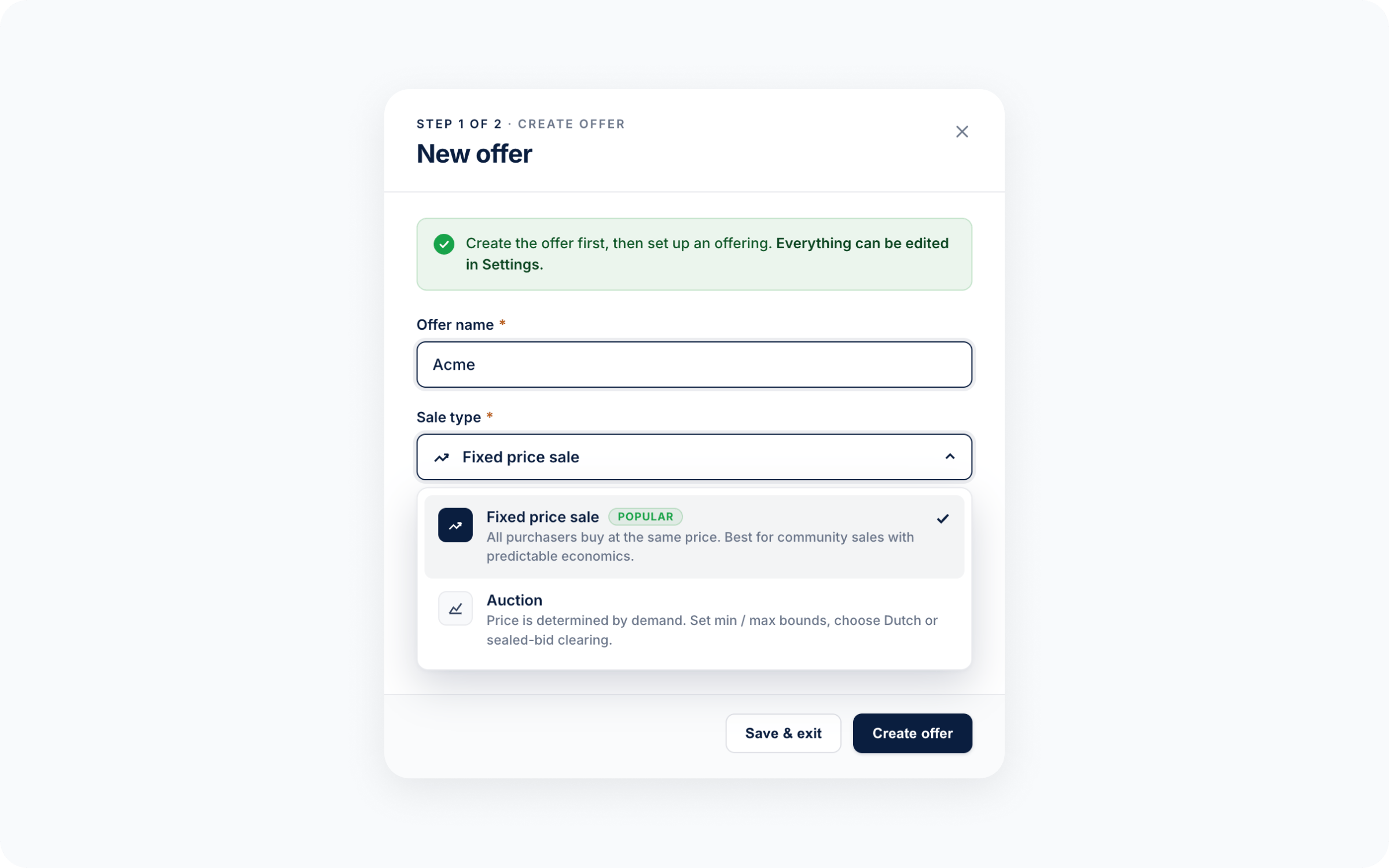 Once compliance review is complete, your offering goes live in the Passage admin. From here you can fine-tune sale rounds, schedule the sale, attach offer documents, and preview the public-facing offer page before launch.
Typical configuration variables include:
* **Schedule** - `starts_at`, `ends_at`, time zone
* **Pricing and valuation** - price per token, fully diluted valuation, total raise cap
* **Sale rounds (options)** - per-round caps, pricing, and eligibility
* **Accepted currencies** - which `funding_assets` participants can pay with
* **Vesting and lockups** - cliff, duration, unlock schedule per round
* **Eligibility** - jurisdictions, KYC level, accreditation requirements
* **Documents** - offer terms, disclosures, agreements participants sign
**Test on a supported testnet first.** Before going live on mainnet, deploy your token contract to Sepolia (or another supported testnet) and run the end-to-end offer flow against it. This catches misconfigured eligibility rules or missing documents before real participants encounter them.
Once you go live, the sale runs on Passage's infrastructure. Track progress in real time from the dashboard: total raised, buyer count, per-round status, and agreement tracking.
Once compliance review is complete, your offering goes live in the Passage admin. From here you can fine-tune sale rounds, schedule the sale, attach offer documents, and preview the public-facing offer page before launch.
Typical configuration variables include:
* **Schedule** - `starts_at`, `ends_at`, time zone
* **Pricing and valuation** - price per token, fully diluted valuation, total raise cap
* **Sale rounds (options)** - per-round caps, pricing, and eligibility
* **Accepted currencies** - which `funding_assets` participants can pay with
* **Vesting and lockups** - cliff, duration, unlock schedule per round
* **Eligibility** - jurisdictions, KYC level, accreditation requirements
* **Documents** - offer terms, disclosures, agreements participants sign
**Test on a supported testnet first.** Before going live on mainnet, deploy your token contract to Sepolia (or another supported testnet) and run the end-to-end offer flow against it. This catches misconfigured eligibility rules or missing documents before real participants encounter them.
Once you go live, the sale runs on Passage's infrastructure. Track progress in real time from the dashboard: total raised, buyer count, per-round status, and agreement tracking.
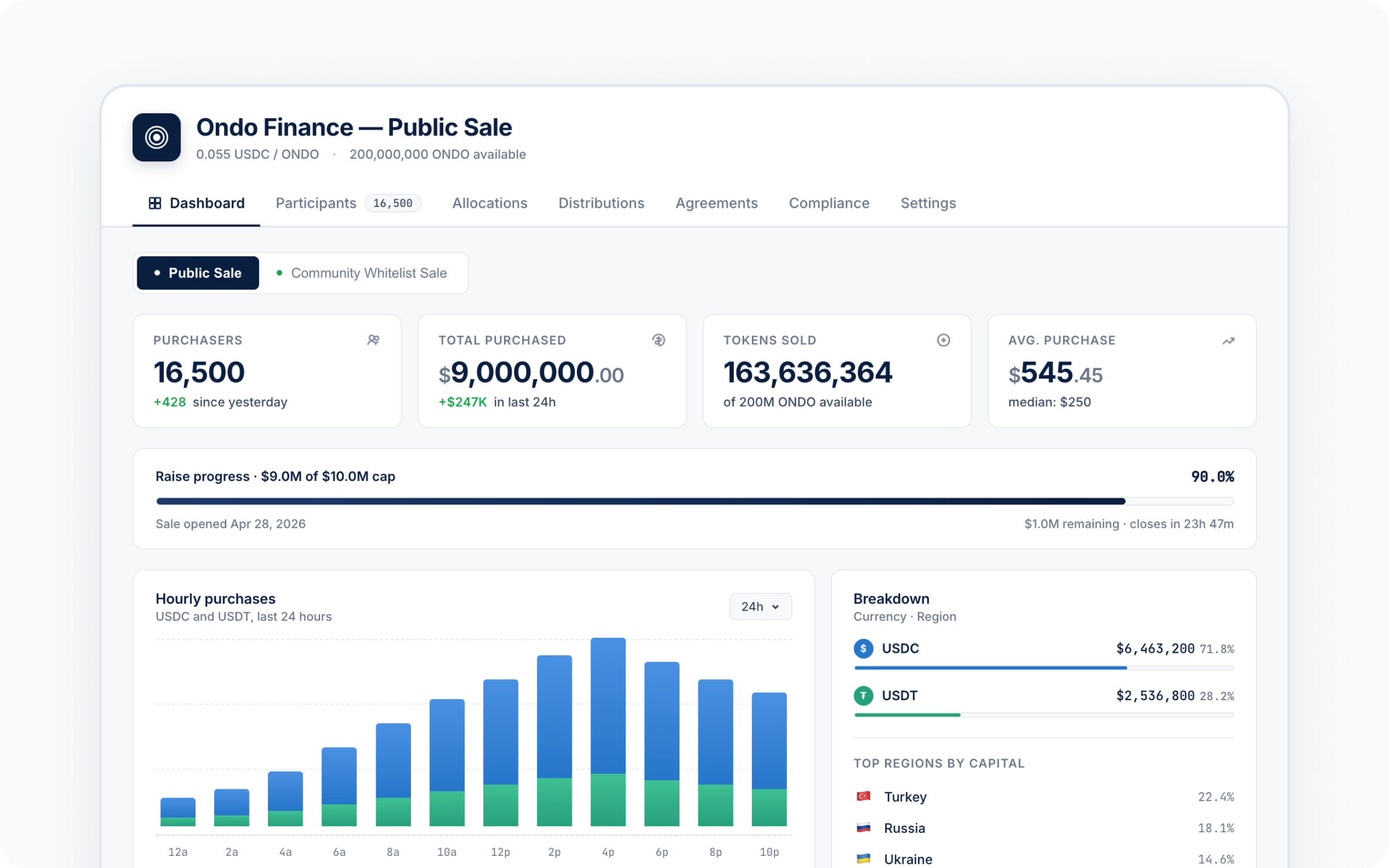 After the sale closes, Passage handles distributions on the schedule you configured during setup - including any vesting or lockup periods. Investors receive their tokens with no further action required from your team.
## Build it
The setup, configuration, and dashboard above happen in the Passage admin - no engineering work required. If you also want to surface your offering in your own app or website (for example, to drive eligible users into the participation flow), the SDK has you covered:
Install `@coinlist-co/react` and wire OAuth.
Render your offering inside your own product.
Pull participation status into your own backend.
## Common questions
Compliance review time is dependent on how quickly you can provide your entity documentation. Setup, testing, and configuration can take less than a week.
Eligibility varies by offering type, and it is recommended that you determine which jurisdictions to exclude with your own legal counsel.
Yes. You can configure separate rounds (for example, two different options with different pricing and vesting) with different pricing, caps, eligibility, and timing. Each round appears as its own offer option.
Yes - use the SDK to surface your offering inside your product. Eligibility and payment still flow through Passage, but discovery and entry can live in your app.
Sale terms - including minimum thresholds and refund policy - are set during configuration. Passage executes whatever you've defined.
After the sale closes, Passage handles distributions on the schedule you configured during setup - including any vesting or lockup periods. Investors receive their tokens with no further action required from your team.
## Build it
The setup, configuration, and dashboard above happen in the Passage admin - no engineering work required. If you also want to surface your offering in your own app or website (for example, to drive eligible users into the participation flow), the SDK has you covered:
Install `@coinlist-co/react` and wire OAuth.
Render your offering inside your own product.
Pull participation status into your own backend.
## Common questions
Compliance review time is dependent on how quickly you can provide your entity documentation. Setup, testing, and configuration can take less than a week.
Eligibility varies by offering type, and it is recommended that you determine which jurisdictions to exclude with your own legal counsel.
Yes. You can configure separate rounds (for example, two different options with different pricing and vesting) with different pricing, caps, eligibility, and timing. Each round appears as its own offer option.
Yes - use the SDK to surface your offering inside your product. Eligibility and payment still flow through Passage, but discovery and entry can live in your app.
Sale terms - including minimum thresholds and refund policy - are set during configuration. Passage executes whatever you've defined.