

Best for: apps, wallets, and platforms that want to offer token-sale access to their users without becoming a regulated marketplace. You bring the audience and the UI; Passage runs the offering.
How it works
You integrate the React SDK (or the underlying HTTP API) to render CoinList-managed offers inside your existing app. Users sign in via OAuth, see offers they’re eligible for, and complete participation through flows you embed. KYC, eligibility, and payments stay on Passage.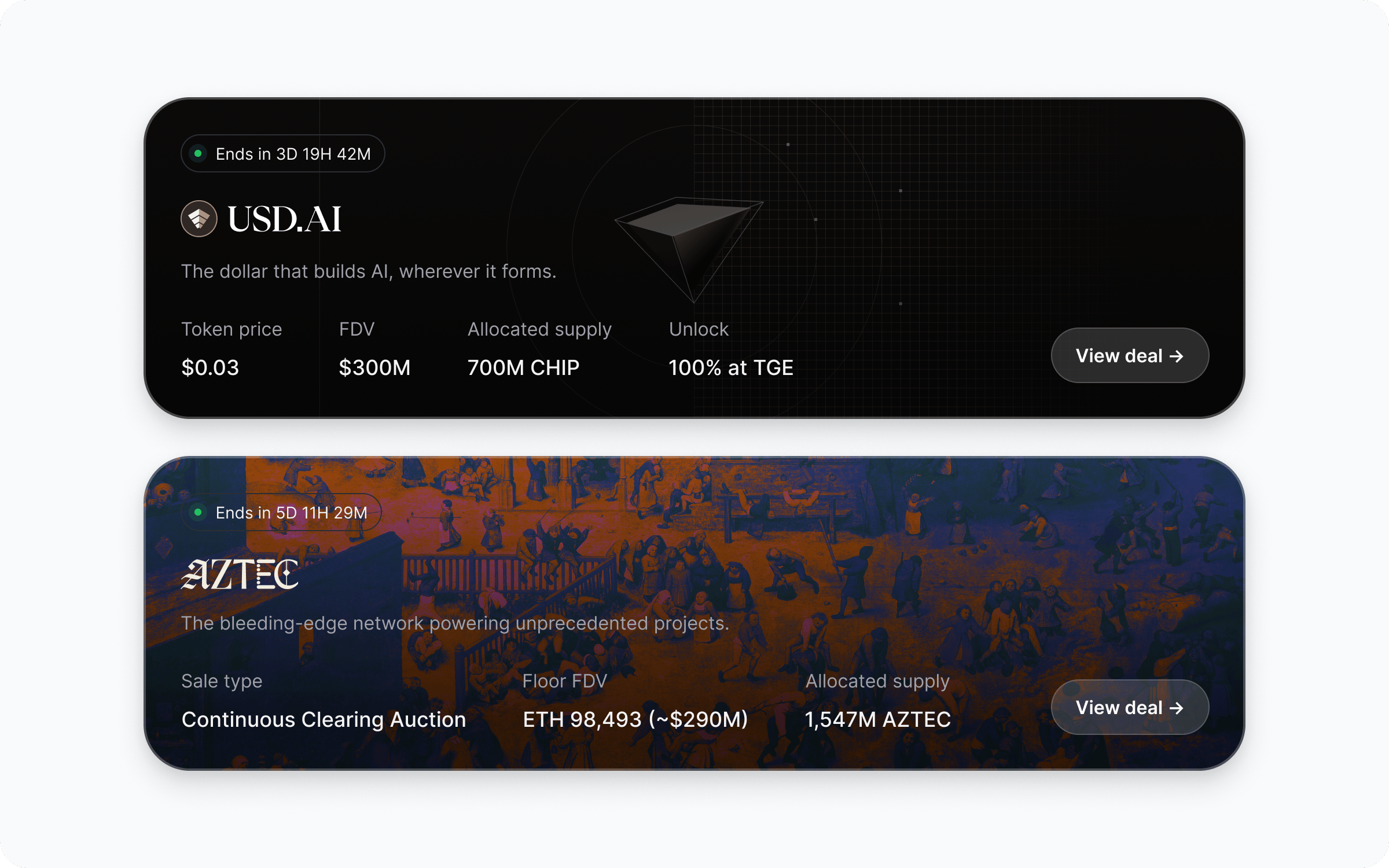
Who handles what
Passage handles
- User KYC and identity verification
- Per-user eligibility for each offer
- Payment collection and settlement
- Token distributions and vesting
- Issuer onboarding and offer compliance
- Investor disclosures and doc signing
You handle
- The container app and UX shell
- Which offers to surface to which users
- OAuth client setup and session storage
- Brand-matched UI around the SDK components
- Driving users into the participation flow
Walkthrough
Request OAuth credentials
Reach out to Passage via the Support portal to get a
client_id, redirect_uri, and client_secret for your app. Store the secret in server-side environment variables - never expose it to the browser.See SDK quickstart for the full list of values and where to store them.Install the SDK and wire OAuth
Add Once
@coinlist-co/react and follow the OAuth recipe to add CoinListProvider, a sign-in surface, and the callback handler.getAccessToken returns a session, the rest of the SDK lights up.Render offers inside your app
Drop See Fetch offers for layout, filtering, and empty-state options.
You don’t have to render every field; pick the sections that fit your product. At minimum most partners render
OffersGrid (or roll your own UI with useOffers) anywhere in your product. You decide what to show, what to filter out, and how the cards link into your detail routes.Offer structure
Each offer returned byuseOfferDetails (or GET /offers/{id} in the API reference) carries the same fields Passage uses on its own deal pages, so you can replicate the full deal-page experience inside your app. The most relevant fields, and where they typically render:| Field | Deal-page section |
|---|---|
name, tagline, logo_url, banner_url | Hero - project branding and one-line pitch |
about | Long-form project summary |
asset | Token symbol, network, and basic asset metadata |
category | Offer type badge (token sale, equity, etc.) |
starts_at, ends_at | Sale timeline and countdown |
options | Individual sale rounds - price, cap, vesting, eligibility per round |
funding_assets | Accepted payment currencies |
terms | Sale terms, agreements, and disclosures shown before participation |
milestones | Project roadmap |
faqs | Project- and offer-specific FAQs |
links | External links - website, docs, socials |
name, tagline, banner_url, starts_at/ends_at, and the active options so users see what they’re buying and when.Drive participation
On your offer detail page, render offer terms with
useOfferDetails and link out to the Passage participation flow. Eligibility checks, agreement signing, and payment happen on Passage; users return to your app once done.See Display offer details and Track participations for the data you can pull back into your UI.Track participations and stay in sync
Use
CoinListClient (browser) or the server helpers to fetch participation status for the signed-in user and reflect it in your own UI - pending, eligible, completed, failed.For server-to-server reconciliation, the API reference exposes the same data over REST.Build it
SDK quickstart
Get credentials, install
@coinlist-co/react, and wire your first OAuth session.Set up OAuth authentication
Add
CoinListProvider, a sign-in surface, and a server-backed callback.Fetch offers
Render
OffersGrid or build a custom layout with useOffers.Track participations
Pull participation status into your own UI and backend.
Common questions
Do my users need to leave my app to participate?
Do my users need to leave my app to participate?
OAuth sign-in and the participation flow run through Passage, but discovery, listing, and post-participation status can all live inside your app. Most partners drop users into Passage only for the regulated steps (KYC, eligibility, payment) and bring them back afterward.
Can I filter which offers my users see?
Can I filter which offers my users see?
Yes.
OffersGrid and useOffers return every offer the signed-in user is eligible to see; you can filter that list by slug, category, or any field on the offer before rendering.Who is liable for the offering?
Who is liable for the offering?
The issuer of each offer remains liable for their offering. Passage runs the compliance, KYC, and distribution infrastructure. Your app is acting as a discovery and UX surface - your account manager will confirm the exact arrangement for your jurisdiction.
Can I use this without React?
Can I use this without React?
Yes. The React SDK is the recommended path, but
CoinListClient works in any browser environment and the API reference covers the underlying HTTP endpoints for non-React or server-side use.How are participations reconciled with my system?
How are participations reconciled with my system?
Participation status is available via the SDK for the signed-in user, and via REST for server-to-server reconciliation. Most partners pull a participation summary on session refresh and persist what they need to drive their own UI.