

Best for: wallets, brokerages, and platforms that want to give users access to tokenized equities (real-world shares represented on-chain) without becoming a regulated broker-dealer or transfer agent themselves.
How it works
Tokenized equities are real shares of an issuer, represented on-chain and held in custody arrangements that meet securities law. Your app surfaces the available equities, your users buy and hold them through your UI, and Passage runs the issuance, custody, settlement, and compliance underneath.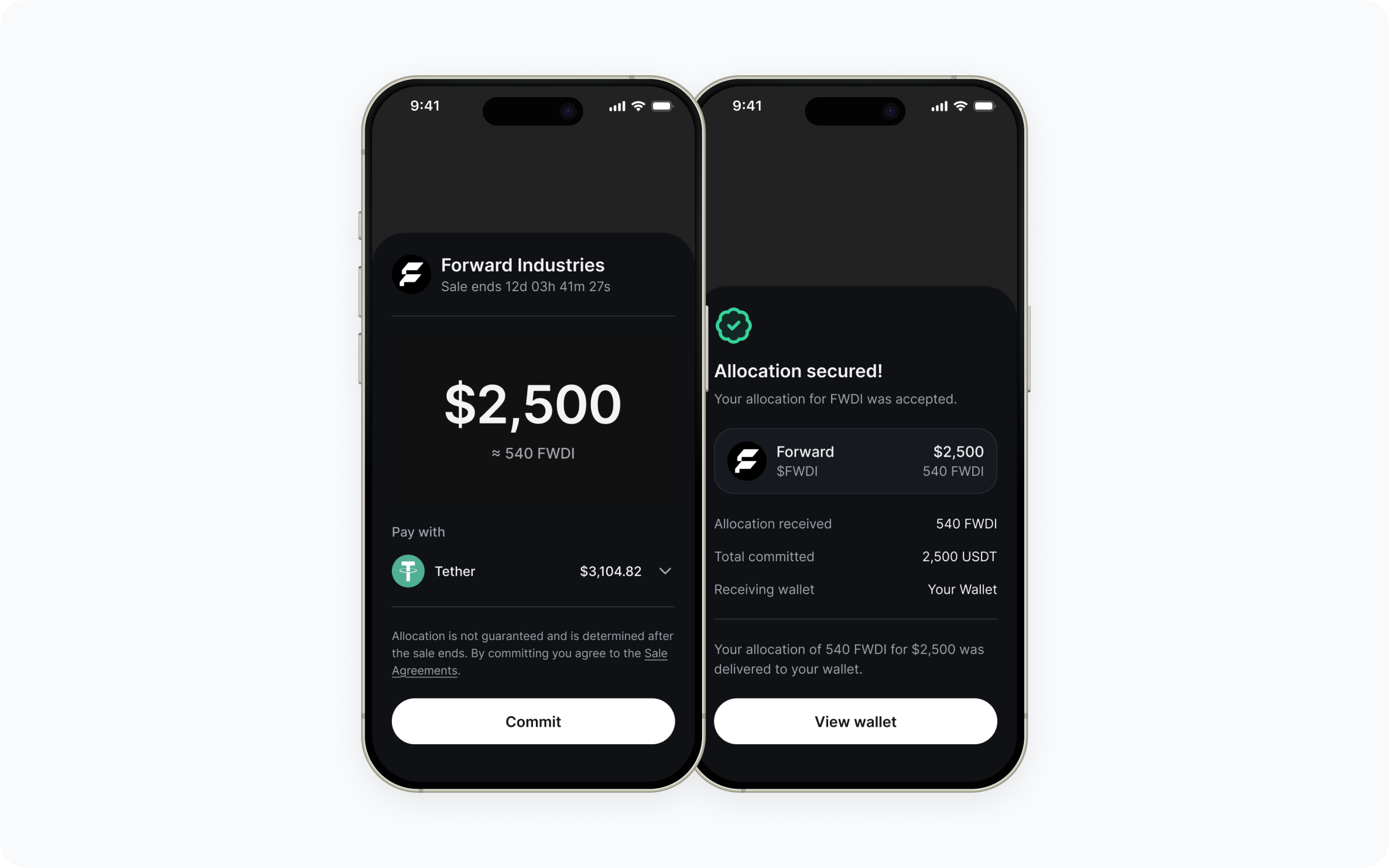
Who handles what
Passage handles
- Issuer onboarding and offering compliance
- KYC and per-jurisdiction eligibility
- Order routing and settlement
- On-chain issuance and custody arrangements
- Corporate actions (dividends, splits, etc.)
- Investor disclosures and doc signing
- Regulatory reporting
You handle
- Your app’s UX and product surface
- OAuth client setup and session storage
- Which equities to surface to which users
- Order entry UI inside your app
- Holdings display and post-purchase status
Walkthrough
Confirm scope with your Passage contact
Tokenized equities have additional regulatory considerations versus token sales - jurisdiction, user accreditation, and the issuers you can surface all depend on the structure. Work with your Passage account manager to confirm what’s in scope before you build.
Get OAuth credentials and install the SDK
The integration surface is the same as for embedded token sales. Reach out to Passage via the Support portal to request a See the SDK quickstart and the OAuth recipe for setup.
client_id, redirect_uri, and client_secret, then install:Render available equities
Equities surface through the same offers API as other CoinList-managed offers. Drop For a custom layout, use
OffersGrid in for the fastest path, or build your own UI on top of useOffers when you need full layout control. The set of offers your client_id sees is scoped on the server, so once your account is set up for equities the user will only see what they’re eligible for.useOffers and render the returned offers yourself - see Fetch offers for the loading / error / empty states the hook exposes.Handle order entry and confirmation
For each equity, render the issuer details, current price, and any disclosures using
useOfferDetails. Order entry, signing, and settlement happen through the Passage participation flow - see Display offer details and Track participations.Eligibility is checked at order time; Passage returns either an executed order, a pending state, or a rejection your UI should surface.Show holdings and corporate actions
Pull each user’s holdings via the participations endpoints and render them in your portfolio UI. Corporate actions (dividends, splits, reorganizations) flow through Passage and are reflected in the same data - you re-fetch on session refresh and reflect changes in your UI.
Build it
SDK quickstart
Credentials, install, and OAuth shape.
Set up OAuth authentication
Wire
CoinListProvider, a sign-in surface, and the callback handler.Display offer details
Load full equity data - issuer, price, disclosures - with
useOfferDetails.Track participations
Render holdings and order status in your portfolio UI.
Common questions
What's the difference between this and embedded token sales?
What's the difference between this and embedded token sales?
Token sales are primary offerings of a project’s own token. Tokenized equities are shares of real-world issuers represented on-chain, with secondary trading mechanics and corporate actions (dividends, splits). The SDK shape is the same; the compliance and settlement structure underneath is different.
Which equities can I surface?
Which equities can I surface?
The set of issuers available depends on what’s onboarded with Passage and what’s eligible in your users’ jurisdictions. Your account manager confirms the available universe before you build.
Do my users need to be accredited?
Do my users need to be accredited?
Eligibility depends on each issuer’s offering structure and the user’s jurisdiction. Passage runs the eligibility check at order time - your UI just needs to surface the result.
How are dividends and corporate actions handled?
How are dividends and corporate actions handled?
Passage processes corporate actions on the user’s holdings. The updates flow through the same participations data your app already reads, so a re-fetch on session refresh keeps your UI accurate.
Can I show prices outside an active session?
Can I show prices outside an active session?
Public price data for surfaced equities can be rendered without an active user session, but order entry requires a signed-in, eligible user. See the API reference for which endpoints are public versus authenticated.